Graphical Environment for DOS · version 0.56 · the 386 desktop, done with love
The nineties desktop your 386 was promised.
Three years early, and 120 KB small. CastaliaOS 92 is one real-mode DOS executable, written in C89 with no libraries at all, that draws every window, menu, icon, game and screensaver itself. It runs on top of the DOS you already have, on a 386SX with one megabyte of memory.
- 404 KB on disk, about 120 KB resident
- 30+ applications
- 13 games
- 18 themes · 16 screensaver effects
What it is
A shell, not an operating system
In 1992 a 386SX with 4 MB of RAM was a serious machine, and what it got was a C:\ prompt. Three years later the graphical desktop everybody wanted arrived, and that machine could not run it. CastaliaOS 92 is for that machine.
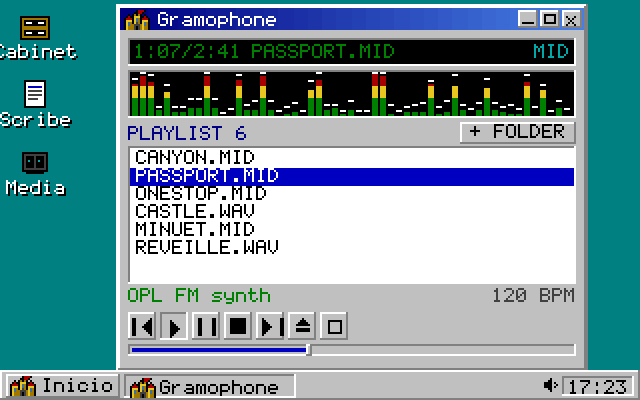
It is not an emulator, not a toy mock-up and not a themed web page. It is a program you start from the DOS prompt: DOS still owns the disk, the file system and memory. In return you get overlapping windows you can drag, resize, shade, cascade and tile, a taskbar with a live clock, a cascading Start-style menu, a file manager on your real drives, a paint program, a media player with an OPL2 synthesizer, thirteen games and a screensaver that is a small demoscene show.
It cannot run Windows programs and it does not multitask. It runs DOS programs, and it can unload itself entirely to give a big game the whole machine, then come back.

| Binary | CASTALIA.EXE, 404,438 bytes, single-threaded, event-driven |
|---|---|
| Modules | 65 C files, about 33,000 lines, C89 only |
| Video | Mode 13h (320×200×256, double-buffered) and Mode 12h (640×480×16, planar) behind one set of primitives |
| Input | INT 33h mouse, INT 16h keyboard |
| Sound | PC speaker, Sound Blaster DMA, AdLib/OPL2 General MIDI, Covox and Disney Sound Source |
| Maths | Fixed point off one shared 256-entry sine table; no FPU, no protected mode, no extender |
| Near data | 64 KB DGROUP at 86 %; CI fails the build past the watermark |
Features and status
Finished software, honestly labelled
Everything marked shipped is in the release bundle and ticked done in the project roadmap. CI boots the real binary in DOSBox on every change, one run at the speed of a 386SX/16.
shipped in the bundle, ticked done partial shipped with a stated limit planned not proven yet
Desktop and apps
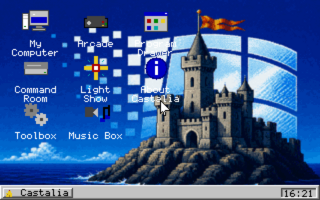
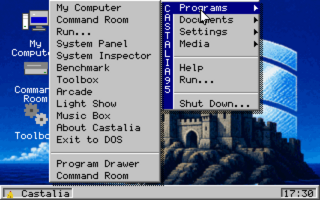
- shippedWindow managerDrag, resize, minimise, maximise, shade, cascade, tile. Taskbar with tray and clock, cascading Start menu with flyouts, right-click menus, draggable icon grid, drop shadows, gradient title bars.
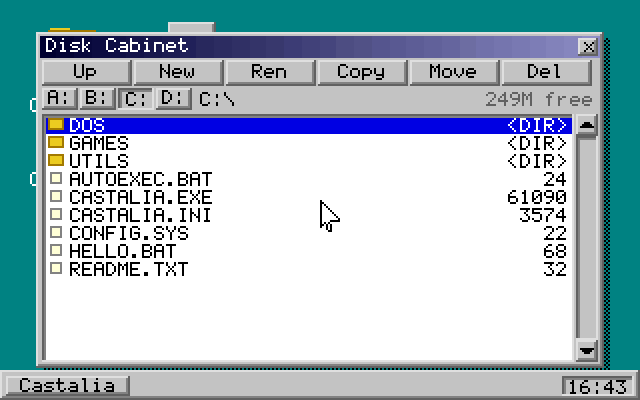
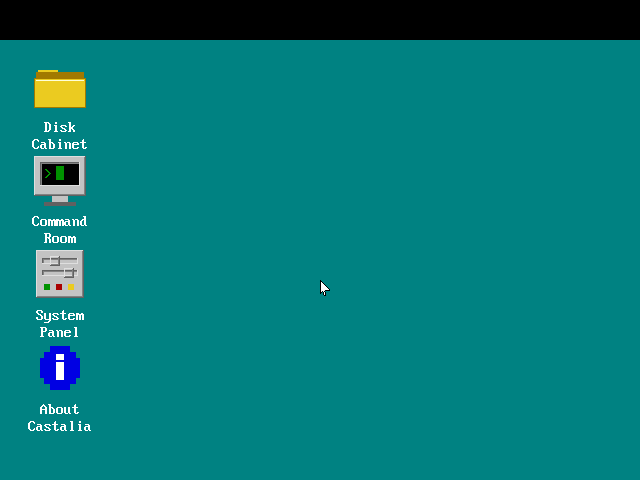
- shippedFilesDisk Cabinet: browse, launch, copy, rename, move, delete, sort, tag with bulk operations, real drive enumeration. My Computer, Find File with search inside files, Hex Peek.
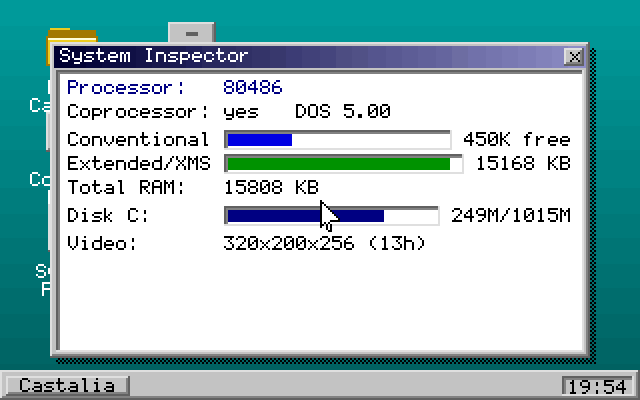
- shippedThirty-plus applicationsScrap Box editor, Sketch Pad paint and icon editor, Gramophone player, System Inspector, Benchmark with a composite score, Calculator, Clock and Calendar, Agenda, Cardfile, Character Map, Fractal, Stopwatch, Picture Show, Cinema (FLI/FLC), Typing Tutor, Settings, Help.
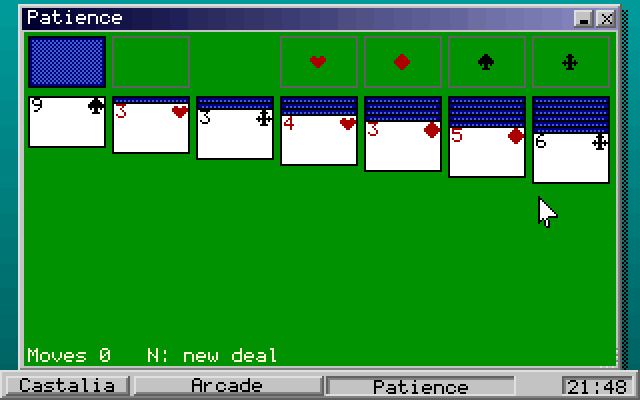
- shippedThirteen gamesMinefield, Patience, Reversi, Serpent, Breaker, Quadrix, Depot, Echo, Lights Out, Fifteen, Tic-Tac-Toe, Pong and 2048, with sound and high scores.
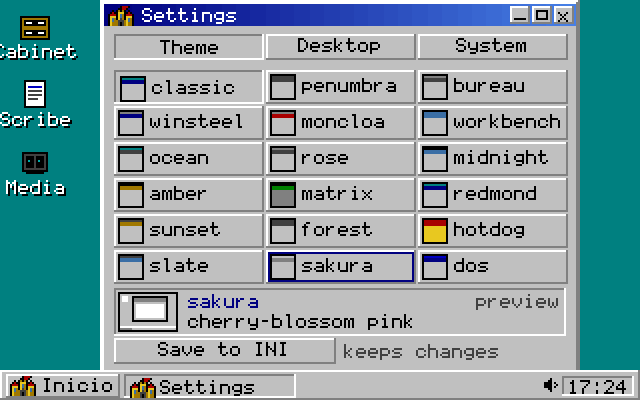
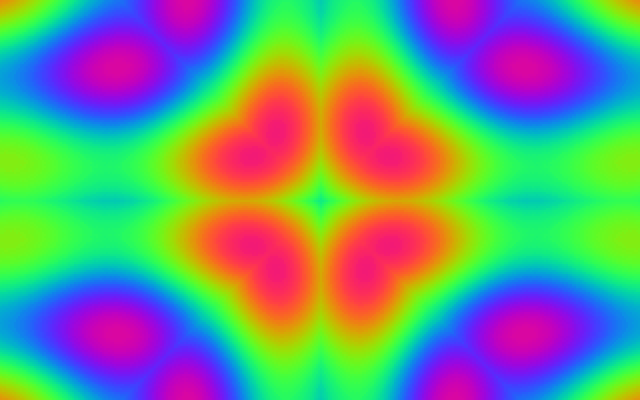
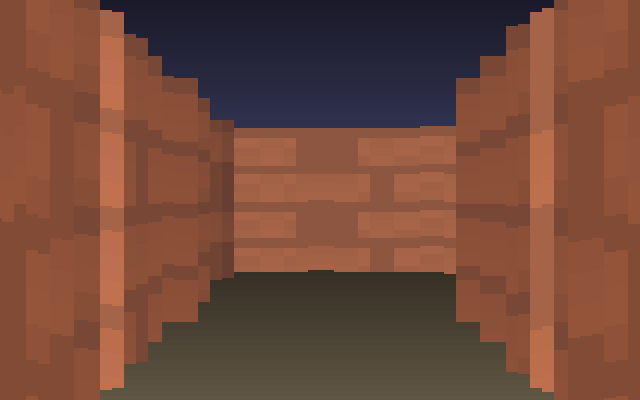
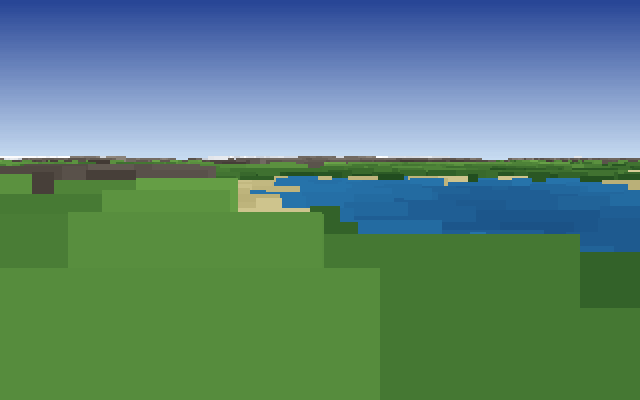
- shippedThemes and the Light Show18 themes with live cross-fade preview, GIF wallpapers, loadable icons, a localisable Start button. Sixteen screensaver effects: plasma, copper bars, starfield, fire, rotozoomer, tunnel, voxel terrain, raycast corridor, kaleidoscope and more.
- shippedTwo installersA graphical INSTALL.EXE with a progress bar, and INSTALL.BAT for purists. Both write to a path you choose.
Hardware paths
- shippedBoth video modesVerified booting under DOSBox in 320×200 and 640×480, with mode-aware fonts and metrics.
- shippedThe 1 MB memory gateChecked before the screen is touched; refuses to start on less with a clear message at the prompt.
- partialSoundSpeaker, Sound Blaster, OPL2 and the parallel-port DACs are implemented; no audio path has yet been heard on a real card.
- partialLaunching DOS programsResident launch works; the free-memory launch that unloads the shell is untested on real hardware.
- partialCritical-error handlerTested only against DOSBox's idea of a drive.
- plannedReal-hardware certificationThe acceptance lap in the repository has been run on zero machines. It is the only item between 0.56 and 1.0.
- planned86Box, PCem and QEMUNamed but not run: the first two need BIOS images that cannot live in CI.
Screens
Real output, upscaled with hard pixels
Every image was rendered by CastaliaOS 92's own drawing routines at native resolution, then doubled without smoothing. There are 88 in the repository; these are the ones that tell the story.
Download
Version 0.56
Released 23 August 2026 as a small, frequent release on its way to 1.0. One zip: the executable, both installers, the configuration file, the manual and the assets. No toolchain to install.
The checksum is the digest GitHub computes for the asset. The same bundle is also committed under release/ in the repository and restaged by CI on every merge. Release page: v0.56 on GitHub.
Requirements, enforced at start-up
| CPU | Intel 386SX or better |
|---|---|
| RAM | 1 MB, conventional plus XMS. Recommended 4 to 8 MB |
| Display | VGA adapter |
| DOS | MS-DOS 6.22 or FreeDOS |
| Disk | Hard disk with FAT16 |
| Mouse | Recommended: any driver that answers INT 33h |
- Unzip on a DOS machine, load your mouse driver, then run
INSTALL. DOS finds INSTALL.EXE first; typeINSTALL.BATin full for the batch version. CD \CASTALIACASTALIA. A splash, a second or two, and a mouse pointer.
Or in DOSBox, from the repository
dosbox -c "mount c CastaliaOS-92/release" -c "c:" -c "CASTALIA.EXE"
Building from source takes Open Watcom 2.0 and wmake; wmake release restages the bundle.
Roadmap
One box left before 1.0
Everything else is ticked: the memory gauge in CI, frozen file formats, run-time CPU detection, the user guide. What remains is the hardware lap written down in the repository: the memory gate, both video modes on a real card, mouse drivers, keyboard and BIOS quirks, disks and the critical-error handler, sound, the free-memory path, persistence and speed, on three machines that differ in the things that matter.
A gap that is written down is a known gap; a gap that is not is a claim.
Success for this project is a photograph we did not take: somebody's rescued tower on a workbench, CRT glowing teal, the little castle in the corner, solitaire mid-cascade. CastaliaOS 92 roadmap
MIT licence. Use it, fork it, put it on a floppy. Created by Dave Abellan and licensed through Tombatossals Softworks LLC, with thanks to the demoscene, the DOS pioneers, and you. No engine, no toolkit, no third-party code: Open Watcom is used only to build it.
CastaliaOS 92 uses no Microsoft or other third-party names, icons or artwork; the look is an original tribute to the era. It is not Windows, is not affiliated with or endorsed by Microsoft, and cannot run Windows programs. Names of other products appear here only to describe the era it evokes.